Your venues, in conversation.
Connect Tablevoice to Claude, Anthropic’s AI assistant, and ask about your calls, your guests and your team inbox in plain language. Claude answers from the same numbers the Tablevoice app shows, and changes what your AI Host knows once you approve it.
https://app.tablevoice.com/mcp
You: Anything in the inbox I should handle before lunch?
Three things. Maya Thompson tried to move Friday’s table for 4 to 8 PM and the call ended before it was changed. Alex Morgan asked for a manager. And a group of 18 for December 12 is still waiting for an answer.
What it looks like on a Tuesday.
Five moments from a day at two demo venues, Foodie’s Cafe and Redstone Grill. You type the question; Claude looks it up in Tablevoice and answers.
- 9:00
Clear the inbox before service
Claude reads the same Needs attention list your team sees, with the reason behind each conversation.
You: What needs a reply this morning?
Claude:Four conversations at Foodie’s Cafe. The oldest is Maya Thompson: she called last night to move Friday’s booking for 4 to 8 PM, and the call ended before the change was made. Alex Morgan asked to speak with a manager about a bill. Two group requests for December are unanswered: 18 guests on the 12th and 24 on the 19th. Want me to draft replies to the groups?
Looked up in Tablevoice: Inbox conversations, guest history 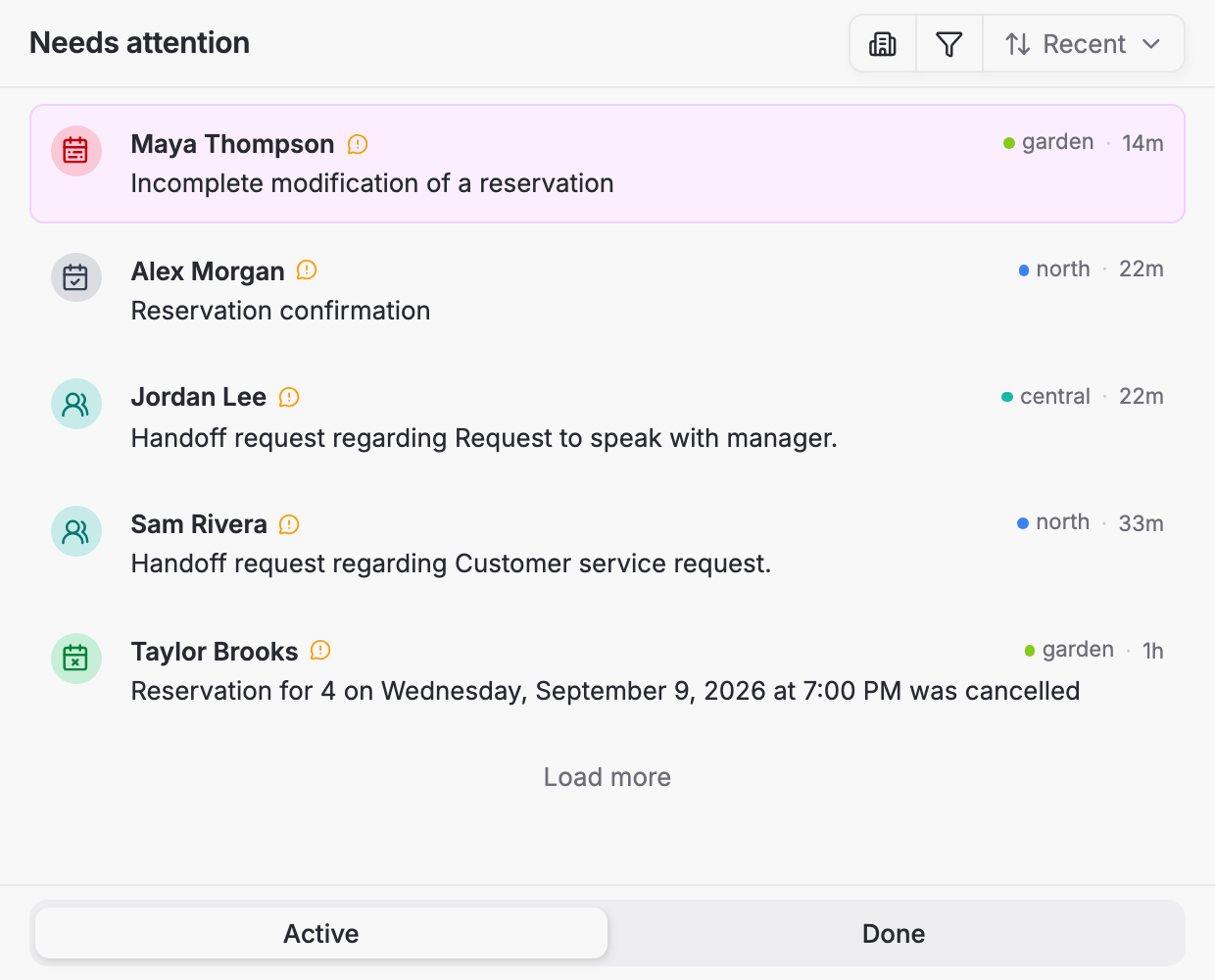
- 11:30
Know who you’re calling back
Before you pick up the phone, ask what the guest wanted and how often they’ve been in touch.
You: Emily Chen called earlier. What did she want, and has she called before?
Claude:She booked a table for two tonight at 7:30 PM. The AI Host confirmed it in OpenTable and texted her the confirmation. It’s her third call this year: in March she asked about the patio, and in June she booked a table for six.
Looked up in Tablevoice: Guest search, guest history, call transcript 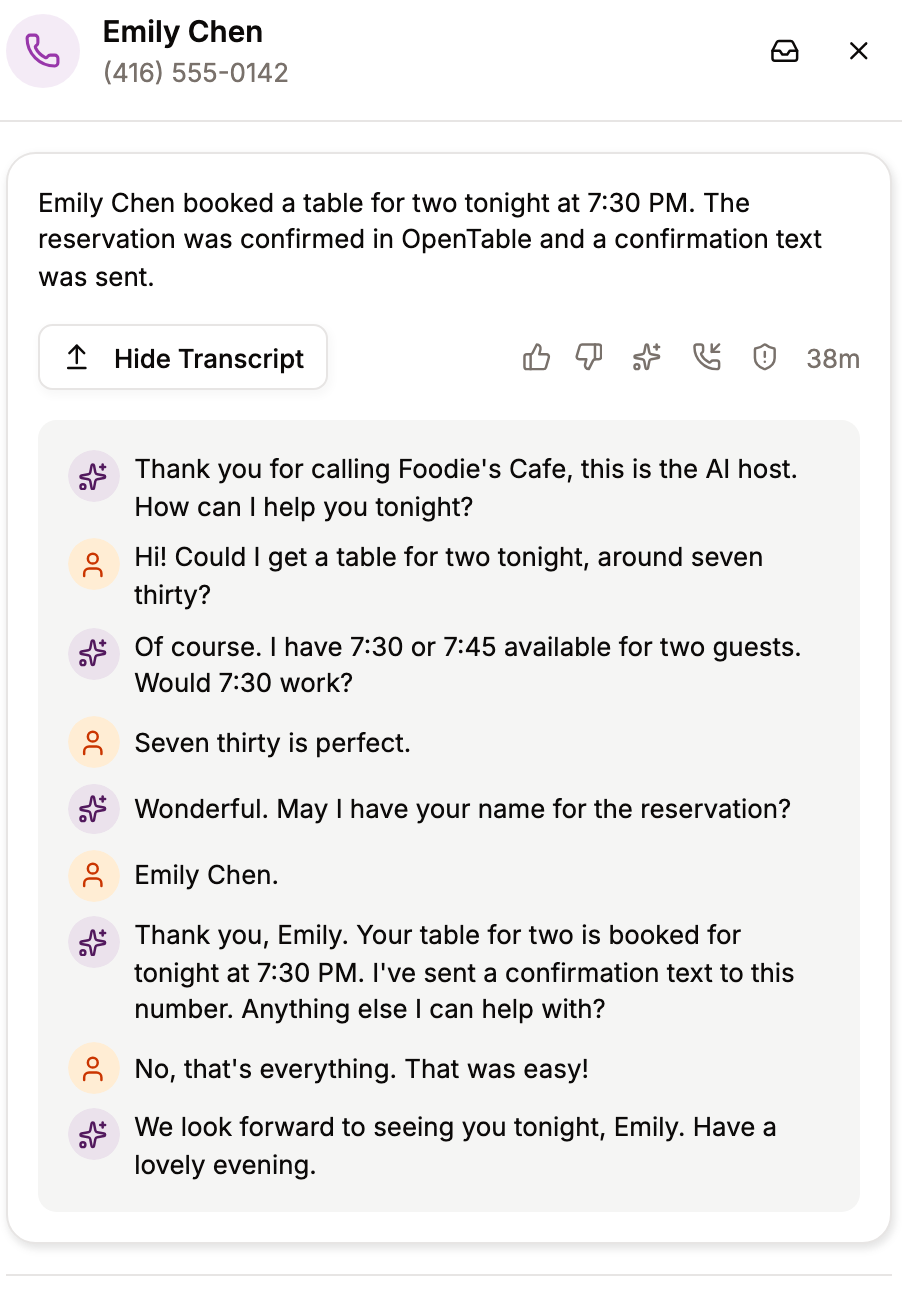
- 14:00
Set holiday hours in one sentence
Closures and special hours go on the venue’s calendar, and the AI Host tells callers straight away.
You: We’re closed on December 25 and we close at 4 PM on December 24. Add both.
Claude:Here’s what I’ll add to Foodie’s Cafe’s calendar: closed all day on Friday, December 25, and open 8 AM to 4 PM on Thursday, December 24. The AI Host will tell callers about both as soon as they’re saved. Shall I go ahead?
Waits for your approval
Looked up in Tablevoice: Opening hours, calendar 
- 16:30
Draft replies, send them yourself
Claude writes the reply. It waits in the team inbox until someone reads it and presses Send.
You: Draft replies to the two December groups. We can host both with the set menu.
Claude:Two drafts are waiting in the team inbox. To the group of 18 on December 12: “We’d be glad to host you. For groups this size we serve our set menu at $68 a person, and I’ll send it over with the booking details.” The group of 24 gets the same offer for the 19th. Nothing is sent until someone on your team presses Send.
Looked up in Tablevoice: Inbox conversations, reply drafts 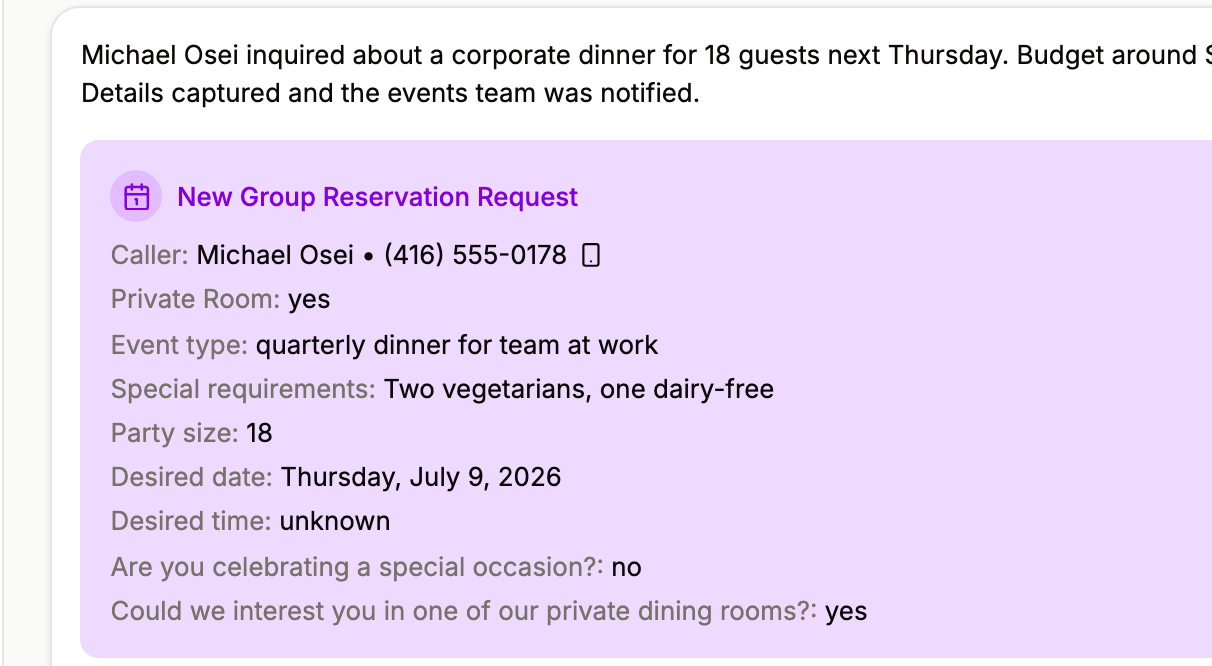
- Monday, 8:00
Read last week in a minute
The same numbers as the dashboard, compared the way you’d ask for them.
You: How did last week go compared with the week before, venue by venue?
Claude:Foodie’s Cafe answered 214 calls, up from 191, and the AI Host booked 68 reservations for 241 covers. Redstone Grill was flat at 132 calls, but group requests doubled, from 3 to 6. Four calls at Redstone Grill were transferred and nobody picked up, all on Saturday between 6 and 8 PM.
Looked up in Tablevoice: Call statistics, dashboard metrics 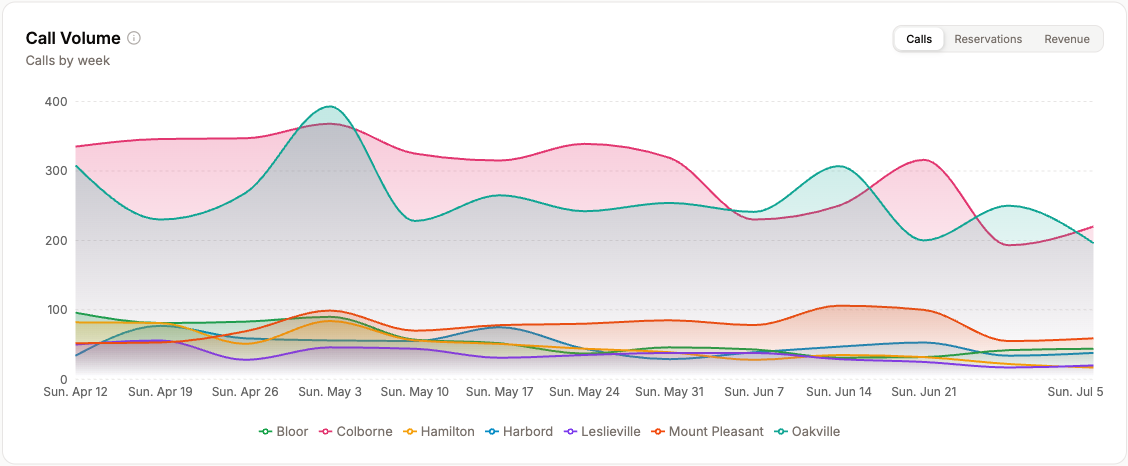
Questions teams actually ask.
At the host stand
- “Who called about a birthday this weekend?”
- “Which guests are waiting for a call back?”
- “Show me everything from the guest at 514‑555‑0142.”
- “Close the conversations about yesterday’s cancellations.”
For the manager
- “Which calls did the AI Host transfer this week, and did anyone pick up?”
- “Add an FAQ: we have a gluten-free menu, and the kitchen can’t guarantee no cross-contact.”
- “Pause reservations on the patio tonight because of the rain.”
- “What has changed in our settings since Friday, and who changed it?”
For the owner
- “Compare our venues on calls, reservations and covers for November.”
- “Which hours of the week get the most calls?”
- “How many group requests came in this month, and for how many guests?”
- “Is anything waiting to be published to the AI Host?”
Ready in two minutes.
You need a Tablevoice account with the Venue Admin or Organization Admin role, and a Claude account. On Claude Team and Enterprise plans, an Owner may need to add the connector for the organization first.
- 1
Open Connectors
In Claude on the web, desktop or mobile, open Settings, then Connectors.
- 2
Find Tablevoice
Open Tablevoice in Claude’s directory, or search for Tablevoice there. If it isn’t listed for you, choose Add custom connector, name it Tablevoice and paste https://app.tablevoice.com/mcp.
- 3
Choose Connect
A Tablevoice sign-in window opens.
- 4
Sign in as usual
Email and password, Google, Apple or Microsoft: the way you sign in to Tablevoice. Claude never sees your password, and no API key is involved.
claude mcp add --transport http tablevoice https://app.tablevoice.com/mcpThen run /mcp and choose Tablevoice to sign in.
If your account belongs to one organization, Claude works in it straight away. If it belongs to several, Claude starts in the one where your role is highest; tell it if you mean another (“switch to Redstone Grill”). A Venue Admin reaches only their own venues.
Claude never texts or calls a guest.
A reply it writes is a draft in the team inbox. A person on your team reads it and sends it.
Changes wait for your approval.
Claude shows what it will change and asks first. Comments and drafts reach only your team, so you can allow those once.
Claude has your access, no more.
Every request runs under your Tablevoice account and role, and every change appears in the configuration change log.
Phone setup stays in the app.
Transfers, phone numbers and keypad options are managed in Tablevoice, not through Claude.
What Claude can read and change.
Reads
Claude runs these without asking each time.
Team inbox and guests
- Inbox conversations: needs a reply, needs attention, open and closed
- Reply drafts
- Guest search
- Guest history: calls, texts and team comments
Calls and reporting
- Call search
- Call details and transcript
- Call statistics
- Dashboard metrics: call volume, reservations, outcomes, team activity and more
- Reservation book metrics (organizations with the OpenTable sync)
Venue settings
- Organizations and venues
- Venue settings and their fields
- Opening hours and upcoming closures
- Calendar entries, and what is true on a given day
- FAQs and suggested replies
- Learning suggestions
- Notification subscriptions
- AI Host publish status
- Configuration change log
Changes
Claude asks for your approval before each of these.
Team inbox
- Add a comment, seen by your team only
- Save or discard a reply draft
- Close, reopen, flag or assign conversations
Venue settings
- Update venue settings and weekly opening hours
- Save or delete calendar entries, including closures and special hours
- Save or delete FAQs and suggested replies
- Apply a Learning suggestion
- Save or delete notification subscriptions
- Publish the AI Host
Some changes reach your phone line only when the AI Host is published. Claude can tell you what is waiting; publishing applies it at once, so ask what will change first.
Privacy and troubleshooting.
Still stuck? Write to support@tablevoice.com with your organization and what you asked Claude, and we’ll find the request in our logs. How we handle data is in our Privacy Policy.
Last updated: November 23, 2026